Working with the Macro Variables Table
The macro variables table in NCPlayer is an interactive panel that displays the current values of
#100–#199 (local/user-defined) and #500–#531 (common/persistent) variables, as well as system variables
used in expressions, conditions, and G-code loops. The table updates in real time during simulation
and helps analyze macro program logic, debug calculations, and track side effects.
Purpose
- Logic debugging: easily see how variables change when executing
#i = ...,IF,WHILE/DO/END,G65,M98/M99. - Expression analysis: monitor input/output values when using
SIN/COS/ROUND/FIX/FUP/ABS/SQRT/.... - Repeatability: quickly reset variable values for reruns from a “clean” state.
Displayed information
- Variable index (e.g.,
#100,#512). - Current value (number/NaN if not yet assigned, or expression result).
- Source/last write — program line where the variable was last modified (if linked).
- Format — raw value and, if needed, formatted value (e.g.,
30→30.0).
How it works
- The parser during preprocessing calculates and/or defers calculation of expressions involving
#variables. - The simulator during step-by-step execution updates the table at each
#i = ...assignment and on entering/exiting subprograms/loops. - Deferred dependencies (e.g.,
X[#100]) are recalculated as#100changes, reflected in the table.
Scopes and specifics
- #100–#199 — local variables for the program/simulation session.
- #500–#531 — common (pseudo-persistent) variables, retained within the current simulator run.
- System (#0, etc.): shown when used in expressions or read operations.
- Initialization: uninitialized variables appear as empty/NaN until first assignment.
Interaction
- Pause/step: pause the simulation and step through lines, watching how values change.
- Quick filter: display only the indices you use (e.g.,
#100, #101, #500). - Reset values: use the Reset button (if available) to clear local/common variables before rerunning.
Usage examples
#100 = ROUND[#101 + 10]
IF [#100 GT 50] THEN GOTO 120
WHILE [#9 LT #20] DO1
  #9 = #9 + 1
END1
G65 P1000 A1 B#100  (Parameters to subprogram: #1, #2, ...)
In these examples, the table will let you see rounding steps, loop counter increments,
and values passed to G65, making logic verification easier.
Best practices
- Initialize variables before use (
#9 = 0) — this keeps the table predictable. - Avoid hidden dependencies (reassignments deep inside subprograms without comments).
- Comment key assignments — the table will show the source line, helping you navigate faster.
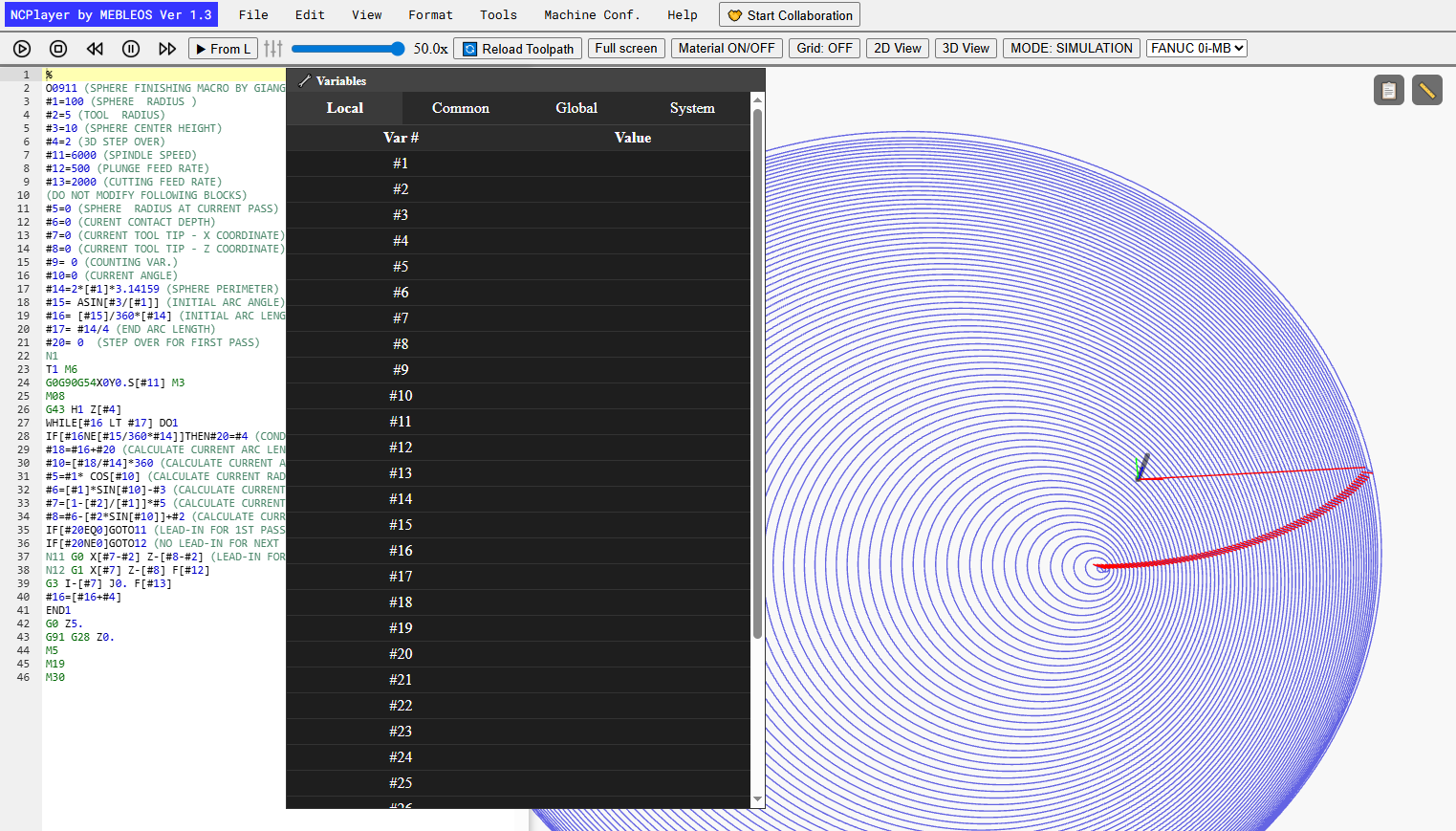
Variable table before simulation:
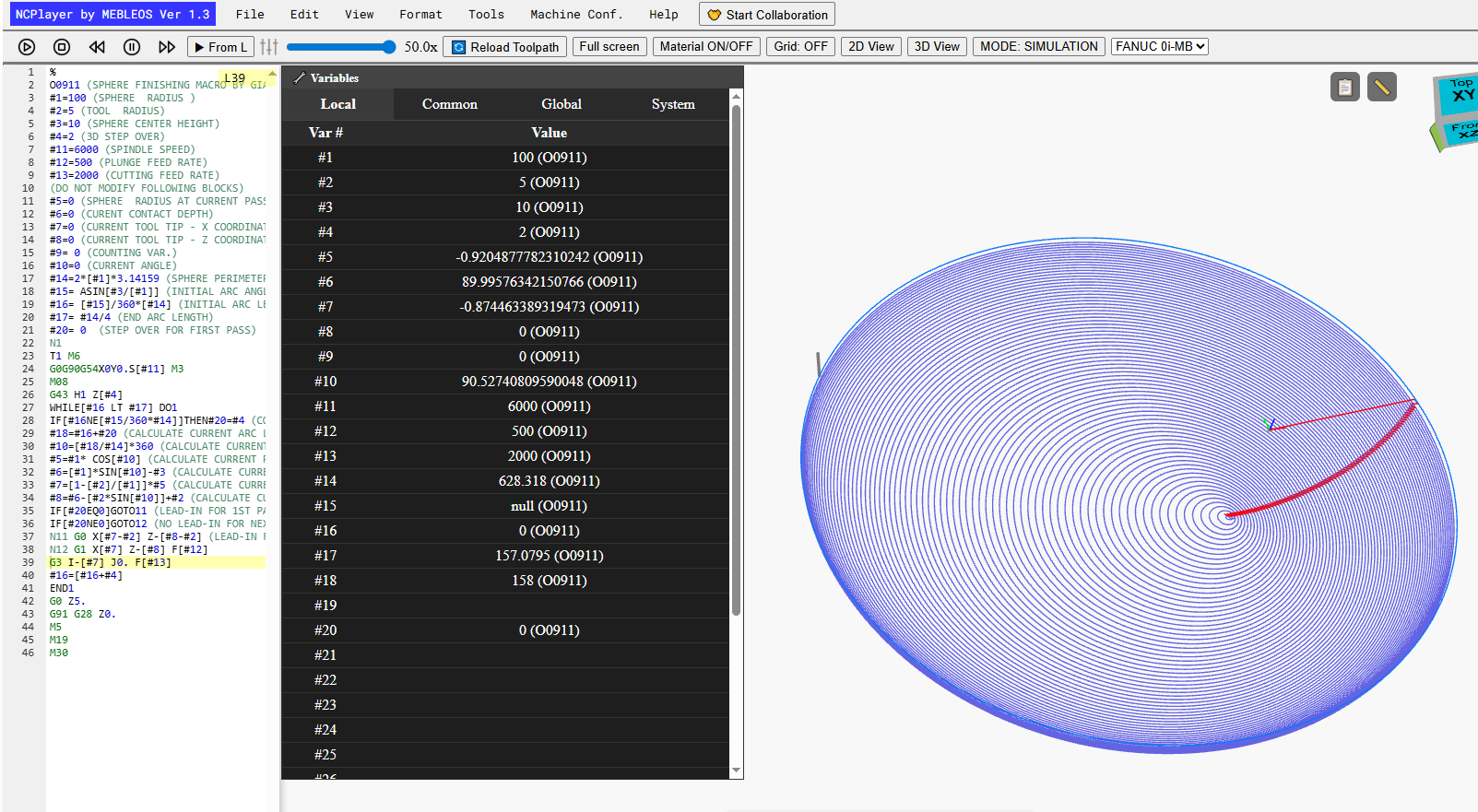
Variable table during simulation:
Limitations and notes
- Some system variables may be read-only — their values depend on the simulator configuration.
- Deeply nested expressions are evaluated step-by-step; with incorrect syntax, the value may become
NaN— check the preprocessing log. - Resetting the simulation clears the local value table (common variables — per current session settings).
NCPlayer by MEBLEOS © 2026