Enable Loop-Only Console Logging
The Enable Loop-Only Console Logging setting enables selective output in the browser console, showing
information only about the execution of loop constructs in G-code, such as
WHILE / END and FOR, as well as variable counters inside the loop body.
What this setting does
- Displays only those lines that:
- are part of the active loop body;
- contain calculations for loop control variables;
- affect the number of repetitions (conditions like
IF,GOTOinside the loop).
- Highlights in the table:
- line number and program index;
- variable name/number;
- previous and new value;
- current counter value;
- loop iteration.
- Ignores all other code so the log stays compact and focused on analyzing repeated blocks.
When to use
- For analyzing the behavior of
WHILEandFORloops in macro programs. - When optimizing the number of repetitions in subprograms.
- For finding errors in loop exit conditions.
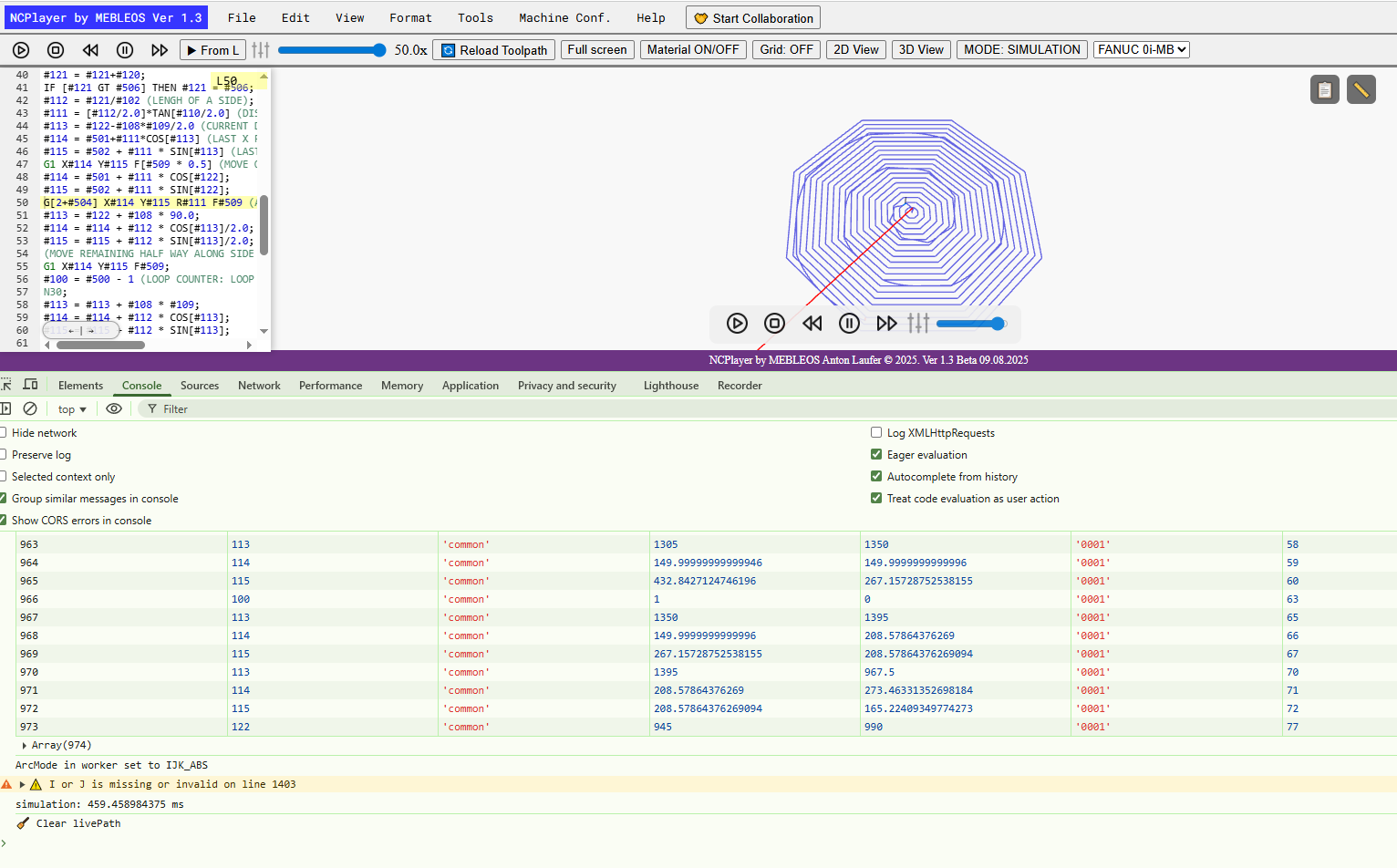
Log example (shortened)
963 | #113 | 'common' | 1365 | 1350 | '0001' | 58
964 | #114 | 'common' | 149.99 | 149.99 | '0001' | 59
965 | #112 | 'common' | 432.84 | 267.15 | '0001' | 60
...
973 | #122 | 'common' | 945 | 990 | '0001' | 77
Tip: When loop logging is enabled, it is convenient to use the
Group similar messages in console option in the browser's developer tools — this makes it easier to review repeated iterations.
NCPlayer by MEBLEOS © 2026