Adding End of Block (EOB) Characters
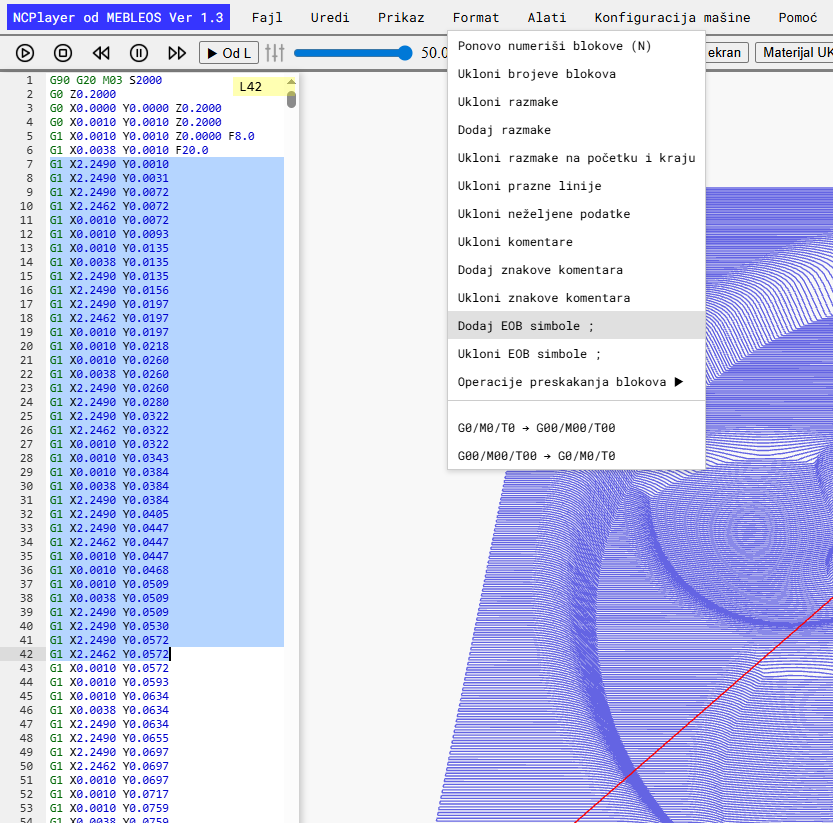
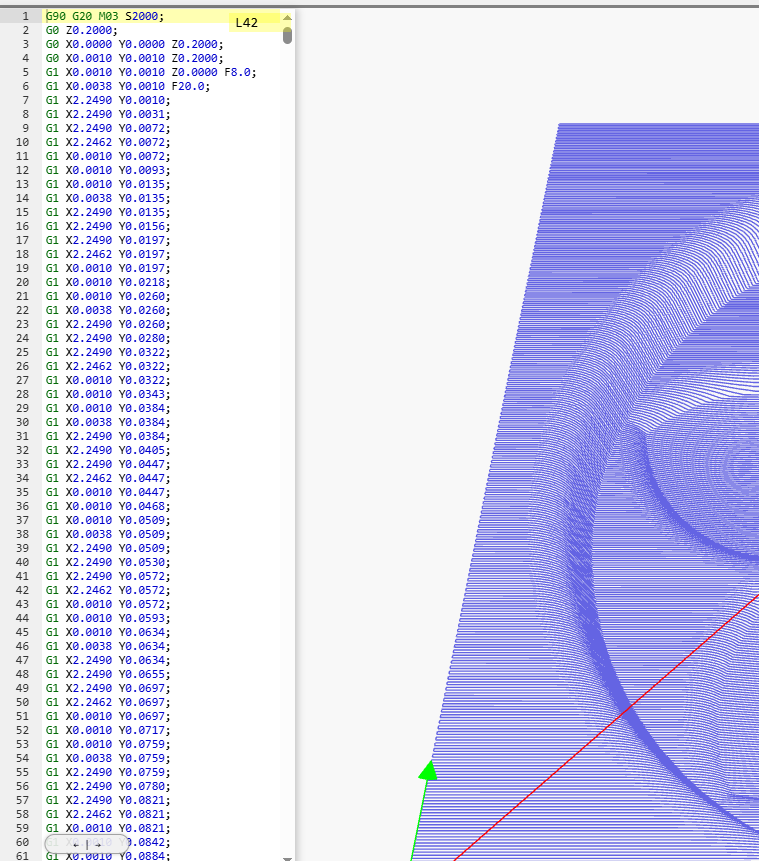
The Add EOB function appends exactly one End of Block character ; at the end of each line of the program, without affecting comments or the code structure.
This helps bring the program to a uniform format required by certain CNC controllers and postprocessors.
What the function does
- Processes the file line by line, ignoring completely empty lines.
- Recognizes lines consisting only of comments
( ... )(possibly with;at the edges) — such lines do not receive a;character. - If a line contains both code and a comment — it first removes extra
;from the code, then adds exactly one;and returns the comment back in place. - Normalizes trailing
;: multiple semicolons are reduced to one.
Algorithm (short version)
- Trim trailing spaces in each line (
trimEnd()). - If the line is only a comment, return it unchanged (and without outer
;). - Extract comments
(...)and temporarily remove them from the code. - Remove extra
;at the end of the code, then add one;if the line contains code. - Merge the code and comments back together.
Examples
; Before:
N10 G00 X0 Y0 (Rapid move)
N20 G01 X10 Y10 F100;;
(Technological comment);
N30 G03 X20 Y0 I5 J0

; After:
N10 G00 X0 Y0; (Rapid move)
N20 G01 X10 Y10 F100; (Technological comment)
(Technological comment)
N30 G03 X20 Y0 I5 J0;
When to use
- Before exporting/sending the program to a machine where
;is required as EOB. - To align style after importing from CAM or manual edits.
- After “cleaning” or other formatting to ensure a consistent EOB.
Tip: After adding EOB, it is useful to run Reload Toolpath to rebuild the toolpath
and verify that formatting did not affect parsing.
NCPlayer by MEBLEOS © 2026