Removing Spaces in CNC Program
The “Remove Spaces” function is designed to automatically delete all unnecessary spaces in the CNC program text. This makes the code more compact, reduces its size, and simplifies further processing.
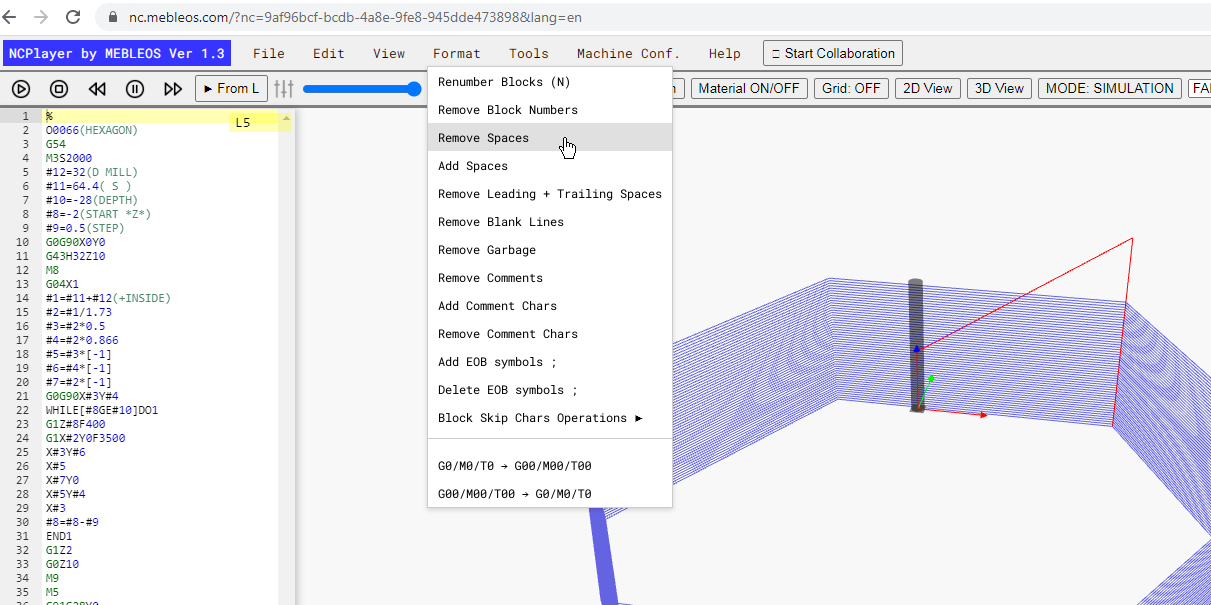
How the function works:
- Removes all spaces between addresses and values (e.g.,
G1 X10 Y20→G1X10Y20). - Removes empty lines that contain no code or comments.
- Comments in parentheses or after a semicolon remain unchanged.
When it’s useful:
- When exporting a CNC program to equipment that does not support spaces in the code.
- To reduce the program file size.
- To prepare for further automated code processing.
Example:
Before:
G1 X10 Y20 Z-5 F100
M3 S1200

After:
G1X10Y20Z-5F100
M3S1200
Note: Make sure that removing spaces does not affect the readability of the program
if it will be used for training or analysis.
NCPlayer by MEBLEOS © 2026