Tool Tracking Function
NCPlayer includes a Tool Tracking feature that automatically centers the camera on the tool position during simulation. This is especially useful when working with machine models where the worktable with material moves relative to a fixed spindle, and the spindle itself moves only along the Z axis.
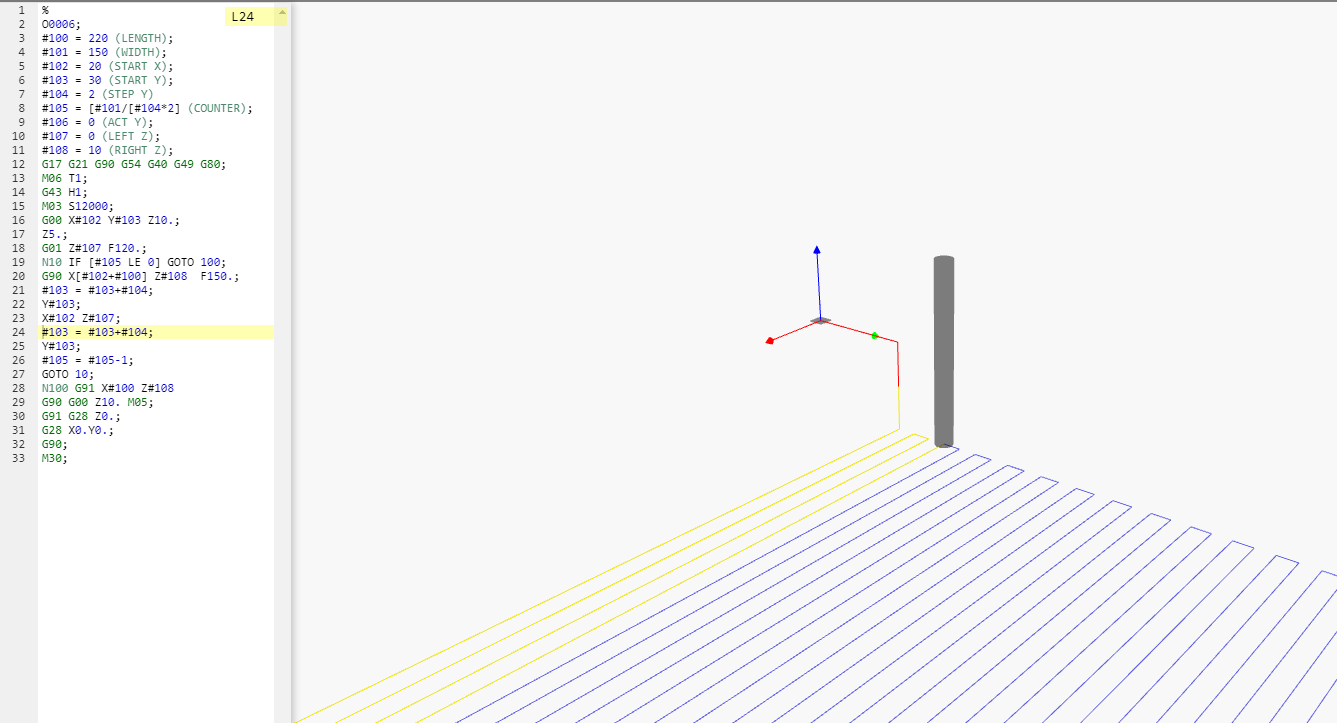
Purpose of the feature
- Ensures constant visibility of the tool during simulation.
- Simplifies trajectory analysis when spindle movement is limited.
- Simulates the behavior of certain real machines where a camera or observer follows the tool.
Application in simulation
When this feature is enabled, during program playback the camera dynamically adjusts its position and viewing direction so that the tool always remains in the center of the screen. This is especially convenient when the workpiece moves in the X-Y plane, while the spindle performs only vertical movements.
Operating features
- The feature does not change the actual machining path; it only affects how it is displayed in the simulation window.
- It can be enabled or disabled at any time during simulator operation.
- Supported in both 2D and 3D display modes.
Usage recommendations
Enable Tool Tracking when studying the trajectories of machines with a fixed spindle in X-Y and movement only along Z, to ensure a better view of the machining process.