G-code Normalization
G-code Normalization — Add Dot to Coordinates
The Normalize GCode → Add dot only function in NCPlayer is designed to automatically convert coordinates in G-code to a unified format with a decimal point.
This is useful if the program contains coordinates as integers but requires them to be in floating-point format (e.g., X25 → X25.).
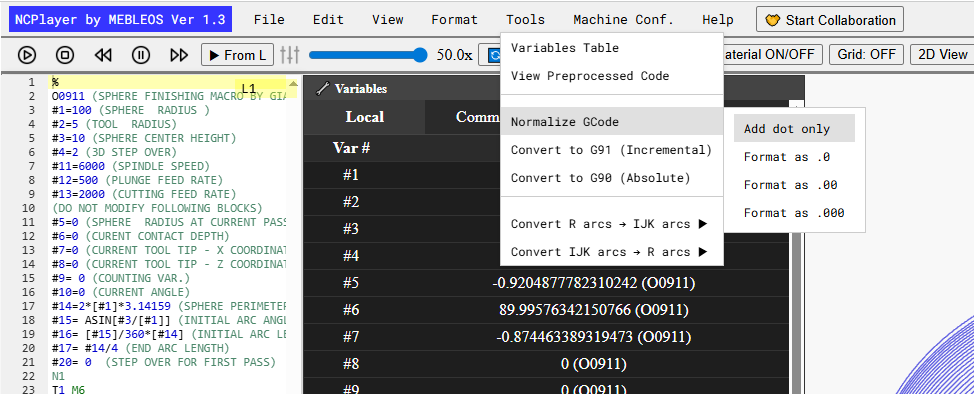
How It Works
- The program scans the code in the editor line by line.
- It detects all addresses related to coordinates and auxiliary parameters:
X Y Z I J K F R A B C U V W. - If a letter is followed by an integer without a decimal point, a decimal point (or two or three digits after it, depending on settings) is automatically added.
- Coordinates that already contain a decimal point or fractional part remain unchanged.
Example
Original code:
G01 X25 Y50 Z-10

After normalization:
G01 X25. Y50. Z-10.
Purpose
A consistent coordinate format:
- Improves G-code readability;
- Ensures compatibility with certain CNC systems that require a decimal point;
- Simplifies automatic processing of code by other tools.
Notes
- The function does not modify coordinates that already have a fractional part.
- It works only with address letters corresponding to coordinates and motion parameters.
NCPlayer by MEBLEOS © 2026