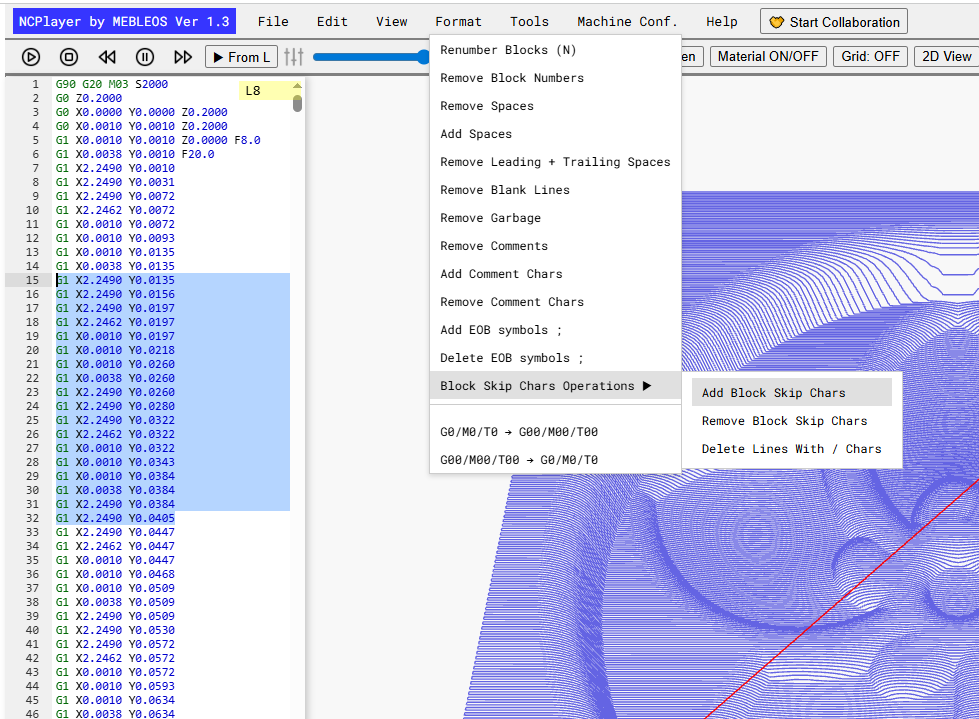
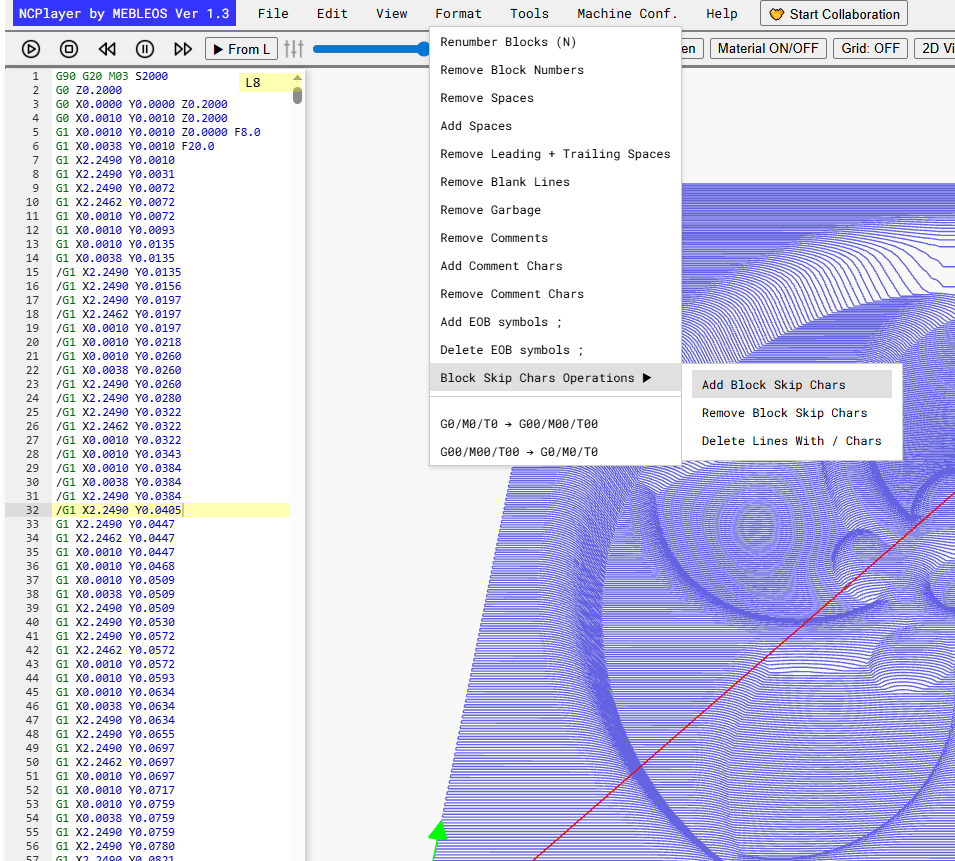
Block Skip Character Operations
In many CNC controllers, a / character at the beginning of a line means “skip block”
when the machine’s hardware Block Skip switch is turned on.
In NCPlayer, such lines are also recognized and can be excluded from simulation.
The Format → Block Skip Chars Operations section contains three tools for bulk operations with the / character.
How it works in NCPlayer
- A line is considered “skippable” if it starts with one or more
/characters before any code addresses. - Empty lines and pure comments
( ... )do not need to be marked with/— the tools will skip them. - Operations apply to the selection, or to the entire program if no selection is made.
1) Add Block Skip Chars — add “/” characters
Adds a / at the beginning of each executable line.
Lines where / already exists will not be duplicated.
Comments and empty lines remain unchanged.
Example
; Before
N10 G00 X0 Y0
(lead-in)
N20 G01 X50 F200

; After
/N10 G00 X0 Y0
(lead-in)
/N20 G01 X50 F200
When useful
- Quickly prepare a “soft” version of the NC program — so that parts of the code can be enabled/disabled via the machine’s switch.
- Create a safe dry-run: mark rapid moves, tool changes, or M-codes.
2) Remove Block Skip Chars — remove “/” characters
Removes leading / characters from the beginning of lines.
If a line contains multiple /, the entire prefix is removed.
The rest of the line (addresses, comments) remains unchanged.
Example
; Before
//N10 G00 X0 Y0
/N20 G01 X50 F200

; After
N10 G00 X0 Y0
N20 G01 X50 F200
3) Protect Code Lines with “/” — protect executable lines with “/”
Quickly marks only executable lines (with addresses G/M/T/S/F/X/Y/Z/…) with /,
skipping pure comments and empty lines.
Useful when you want to leave notes and documentation untouched,
but temporarily disable the execution of motion/technology commands.
Example
; Before
(Setup)
N10 G90 G54
(Roughing)
N20 G01 X50 F200

; After
(Setup)
/N10 G90 G54
(Roughing)
/N20 G01 X50 F200
Tips and warnings
- On a real CNC machine, the behavior of lines with
/depends on the position of the hardware BLOCK SKIP switch. If it is off — such lines will execute normally. - In NCPlayer simulation, lines with
/will be skipped if the corresponding mode is enabled (supported in step-by-step simulation). - If you use conditional jumps (
IF/THEN/GOTO/WHILE) — avoid marking critical “jump” lines with “/” without analyzing the logic, as this may break the execution sequence.