Convert Code to Uppercase
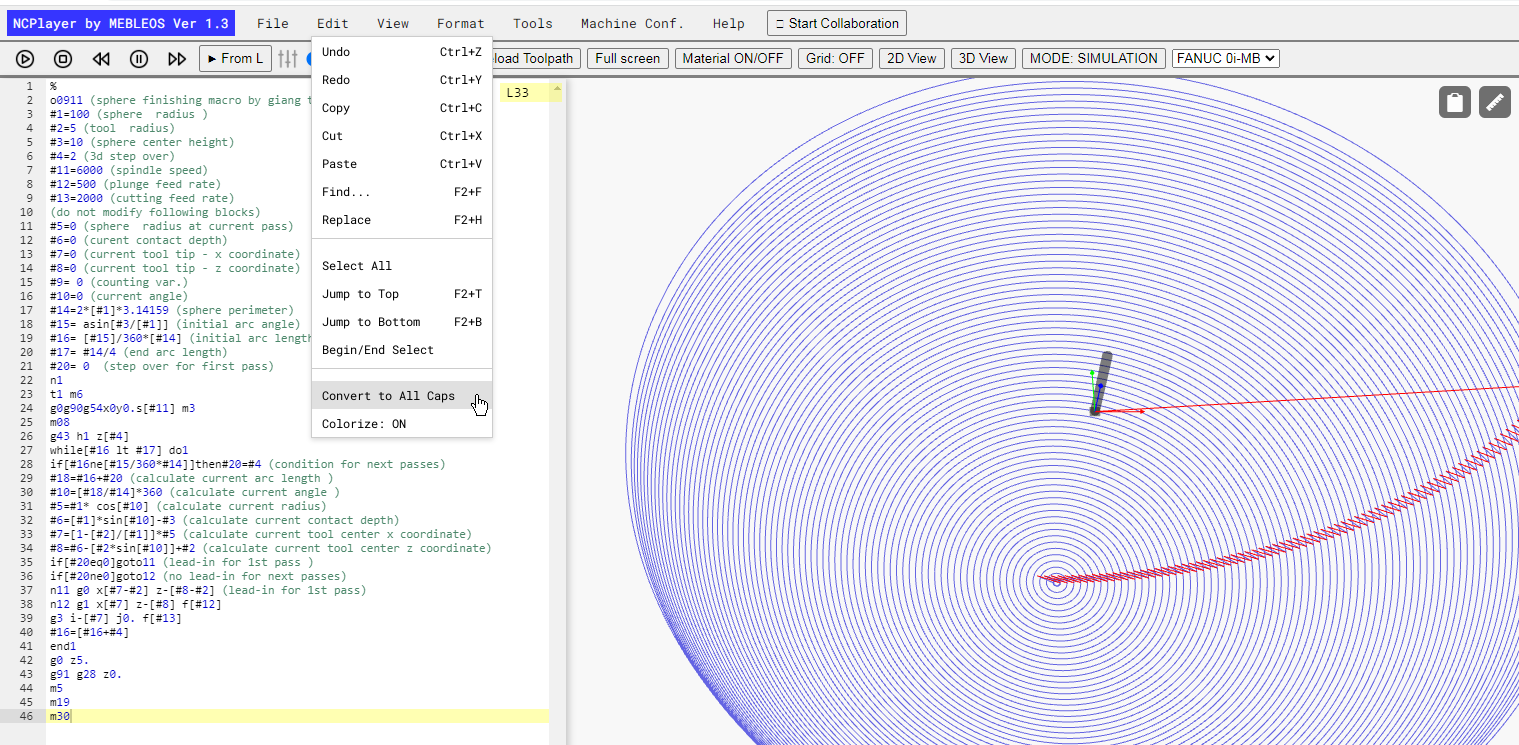
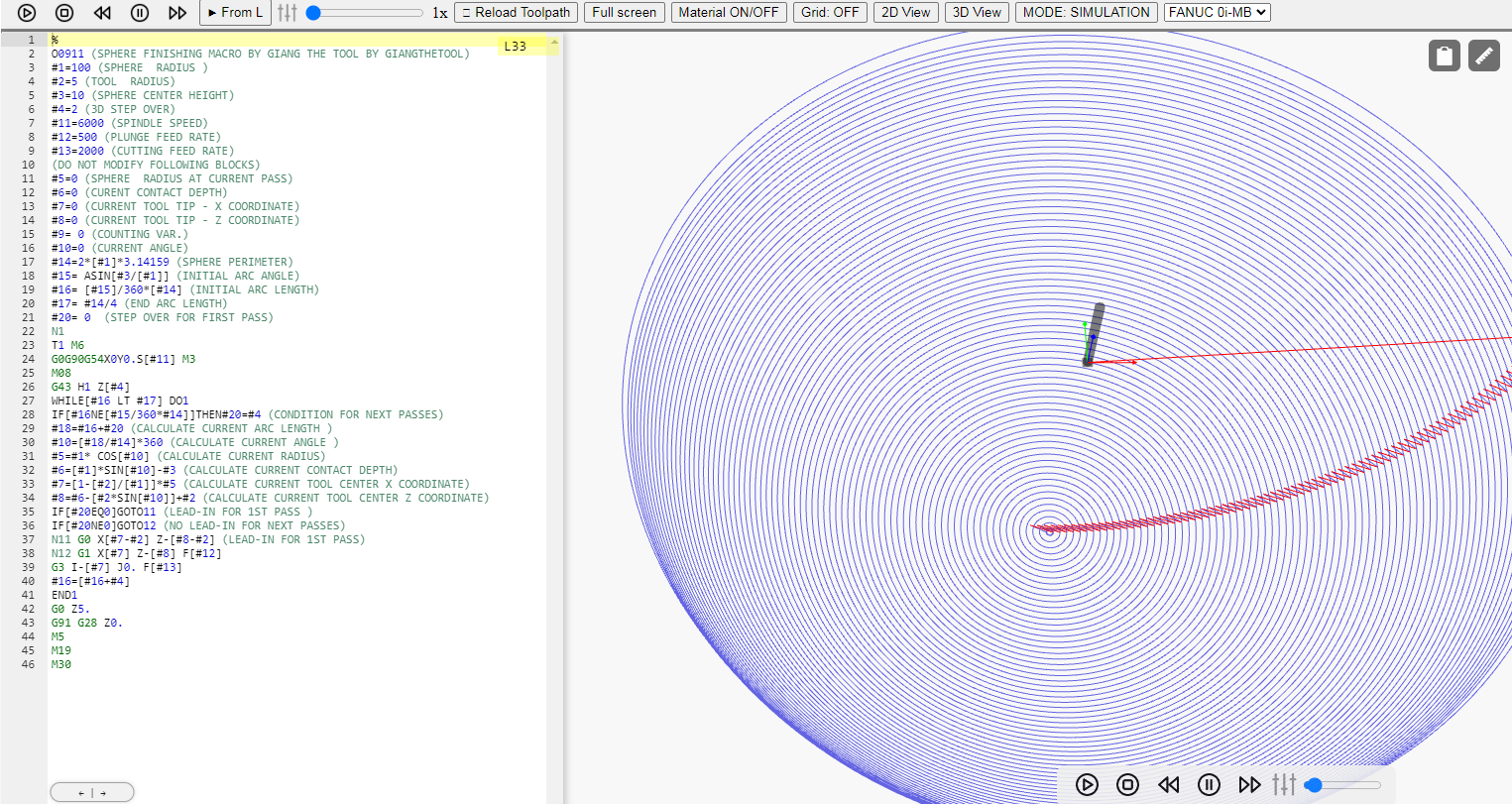
The Convert to All Caps function is designed to automatically convert all characters of the CNC program into uppercase. This is useful when preparing code for CNC machines that require commands and addresses (G, M, X, Y, Z, etc.) to be written in capital letters.
How to Use:
- Open your CNC program in NCPlayer.
- In the Edit menu, select Convert to All Caps.
- The entire program text will be instantly converted to uppercase.
Benefits:
- Reduces the risk of errors when loading the program into the machine.
- Improves code readability.
- Unifies programming style.
This function applies to the entire program, including addresses, commands, and comments, without changing the structure or logic of the code.
NCPlayer by MEBLEOS © 2026