Enable Program Color Highlighting
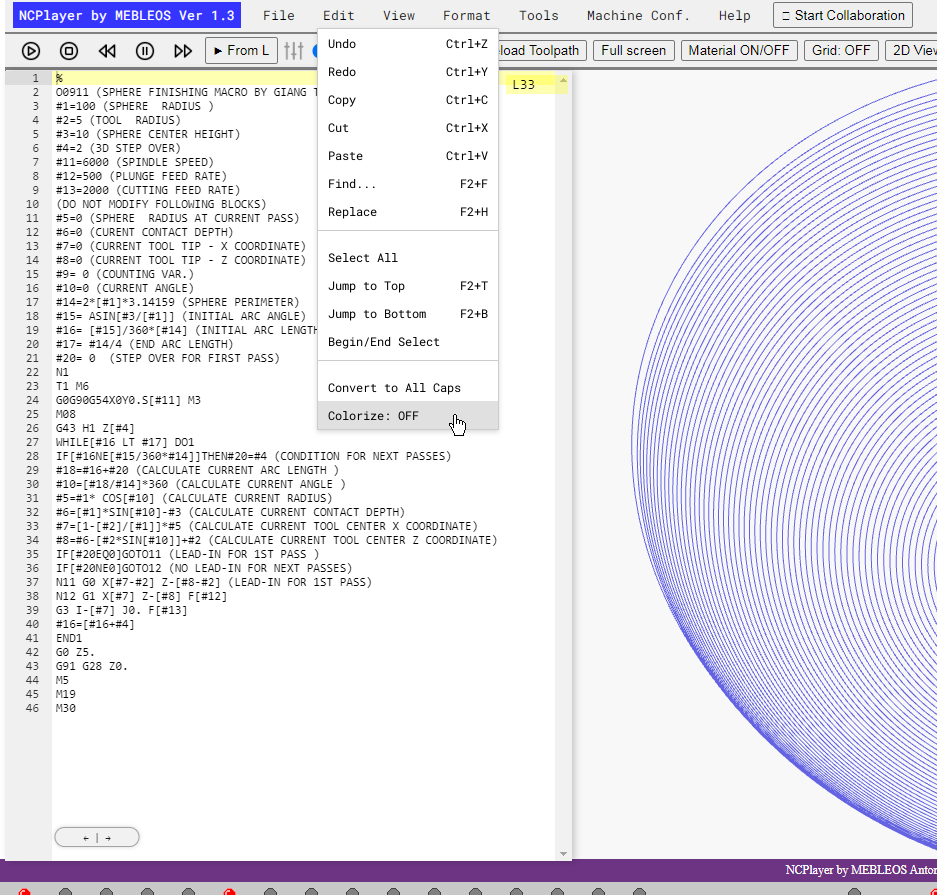
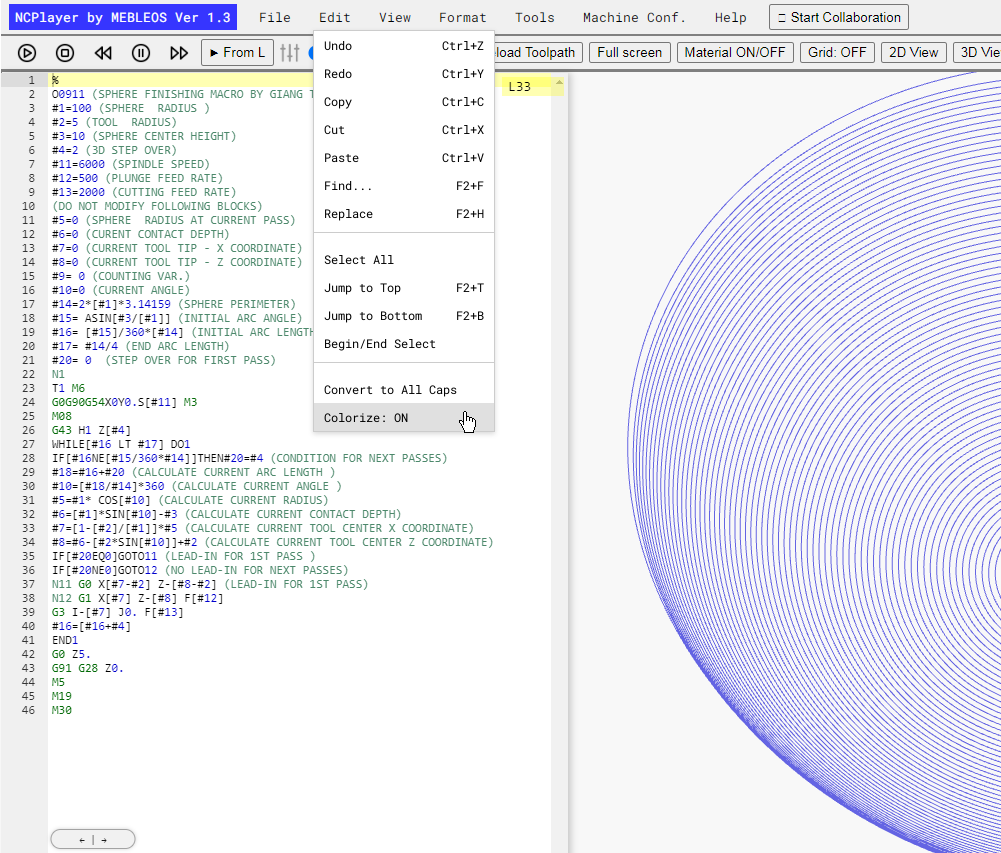
The Colorize: ON/OFF feature enables or disables color highlighting of the CNC program (NC program) code. When highlighting is active, NCPlayer’s built-in parser analyzes each line of G-code and marks different elements in various colors:
- G-codes — main motion and mode commands.
- M-codes — auxiliary machine commands.
- Addresses (X, Y, Z, F, S, T, etc.) — coordinates, feeds, spindle speeds, tool numbers.
- Values — numeric parameters following addresses.
- Comments — textual notes in the code.
Purpose:
Color highlighting makes reading and analyzing code easier, helps quickly identify errors, and improves navigation in long programs. It is especially useful during step-by-step simulation when it’s important to track active commands and parameters.
How to use:
- Open a CNC program in NCPlayer.
- In the Edit menu, select Colorize: ON to enable or Colorize: OFF to disable.
- When highlighting is enabled, the parser will automatically apply colors to the code in the editor.
Advantages:
- Clearer visual perception of G-code.
- Faster search for required commands and parameters.
- Reduced chance of overlooking errors.
NCPlayer by MEBLEOS © 2026