Replacement Tool in CNC Program Code
The Replace Tool window allows you to safely and visually replace recurring occurrences of text in a CNC program (NC). The tool displays a list of all matches with line numbers and a Before → After preview, and provides options to perform replacements throughout the entire program or one match at a time.
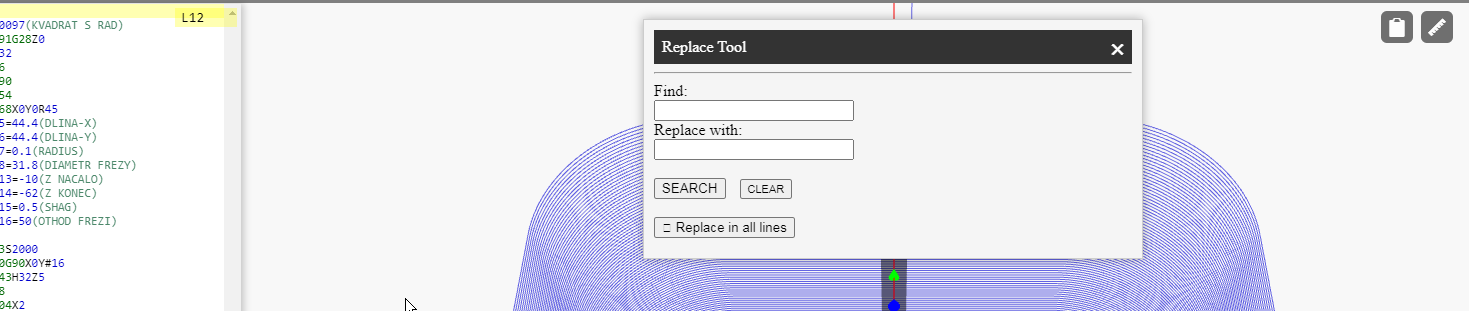
Input Fields and Buttons
-
Find: the string you want to search for (e.g.,
#4,G43,F200). Substring search within a G-code line is supported. -
Replace with: the string that will replace the found match
(e.g., replace
#4with#14). - SEARCH — run the search and generate a list of matches at the bottom of the window.
- CLEAR — clear the input fields and the results panel.
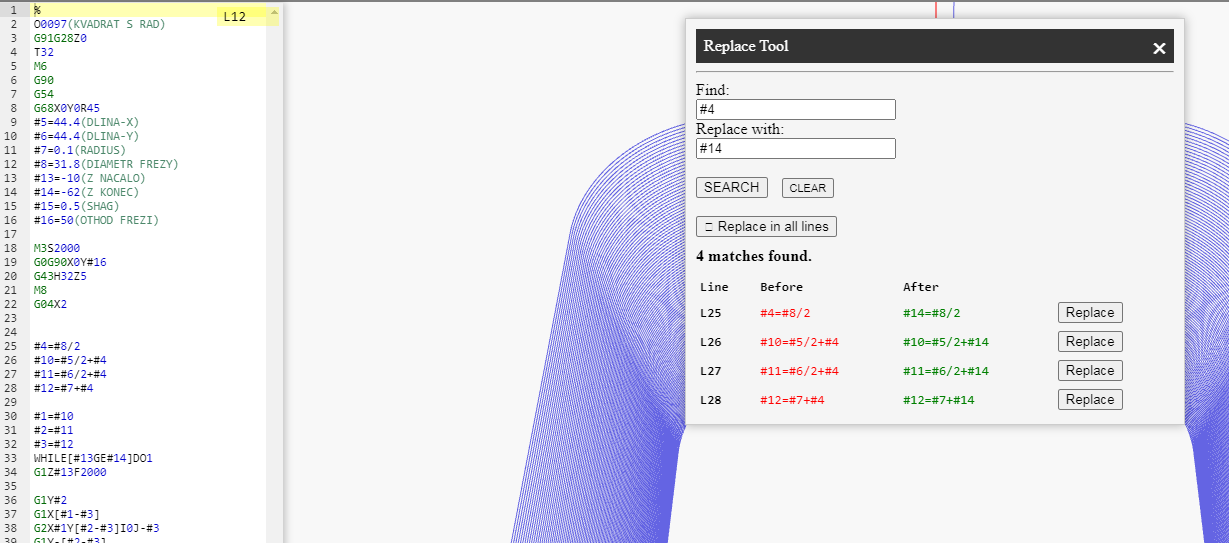
Search Results and Preview
After pressing SEARCH, a list of found matches appears below the form:
-
Line — editor line number (e.g.,
L25). - Before — the original fragment (highlighted in red).
- After — the replacement result (highlighted in green).
- Replace — button to perform a targeted replacement only in this line.
Bulk Replacement
To replace in all found lines at once, use:
Replace in all lines.
- Before bulk replacement, review the results list to ensure the Find pattern does not affect unwanted areas (e.g., inside comments).
- If needed, instead of bulk replacement, use targeted Replace for lines where the change is actually required.
Behavior and Limitations
-
The search is substring-based and does not support regular expressions.
If you need an exact token match (e.g., only
#4but not#40), specify the context (space/boundary) or verify the preview results. - Replacement is performed on the current editor content. If a mistake is made, you can use Undo (Ctrl+Z).
- The Find field cannot be empty — the tool will request a valid input.
- When running a new search (SEARCH), the match list is rebuilt — this allows you to quickly adjust the pattern and compare results.
Practical Examples
-
Replace a local variable:
#4→#14throughout a subprogram. -
Unify feed rates:
F200→F300in the finishing pass. -
Update tool length offset:
H01→H11only in selected lines (using targeted Replace).
Tip: After bulk edits, run a simulation to ensure that the NC logic and toolpath remain correct.
NCPlayer by MEBLEOS © 2026