What is the NCPlayer Service?
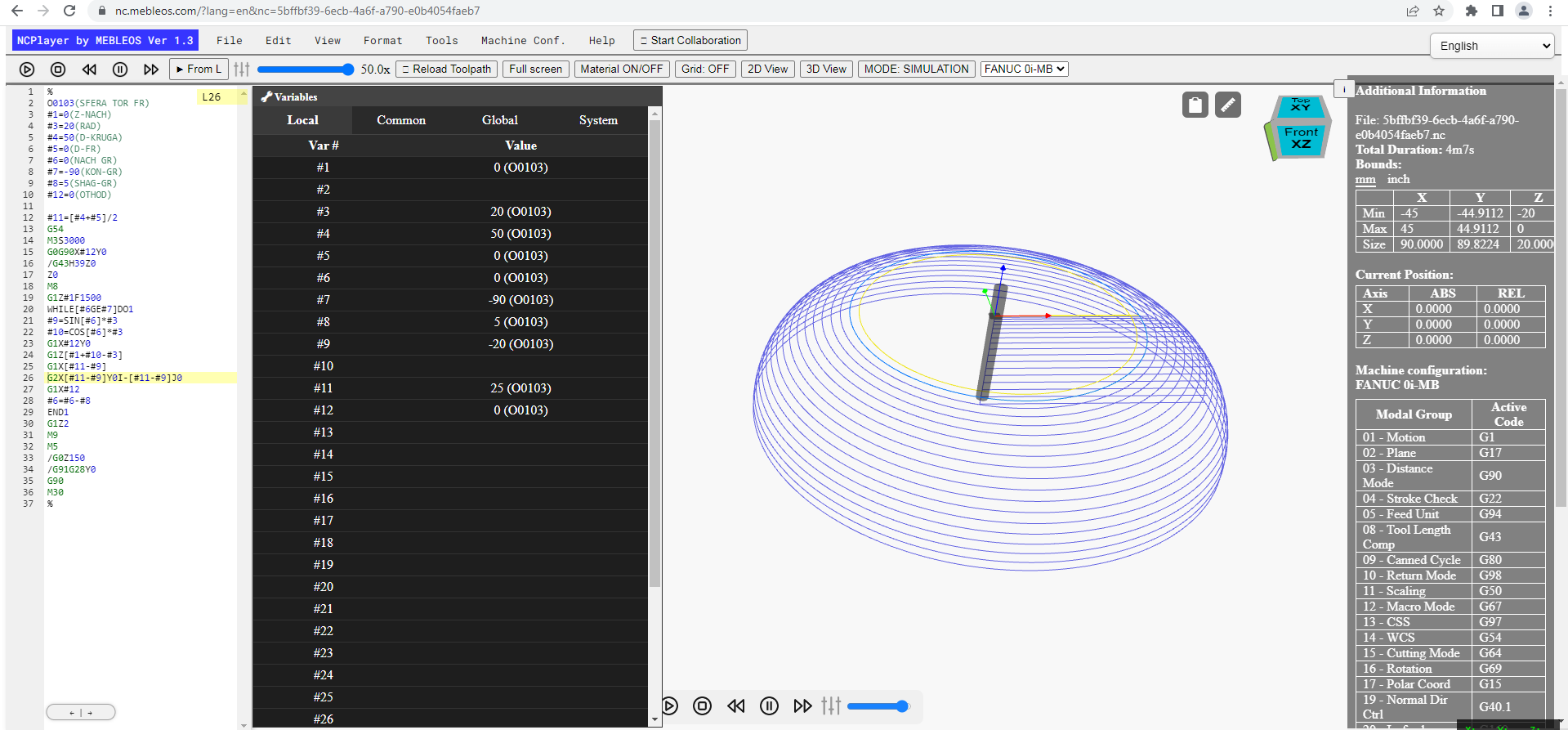
NCPlayer is a web service for interactive visualization and quick verification of CNC programs (G-code) directly in your browser. It helps technologists, programmers, and operators safely test toolpaths, find errors, and prepare production without machine downtime.
The service runs on the client side, requires no installation, supports popular FANUC-like dialects, and displays 2D/3D toolpaths, cycle time, machining boundaries, and warnings about code issues.
Key Features
• G-code import: paste, upload a file, or use the clipboard. Supports block numbers N, subprograms O, macro variables #, conditional statements (IF, WHILE, GOTO), and cycles.
• Visualization: 2D View and 3D View modes, with G0 (rapid moves) and G1/G2/G3 (feed) displayed in different styles.
• Material and coordinate system: select the work offset, units (mm/inch), clearances, and stock dimensions.
• Analytics: calculates path length and estimated time, highlights syntax errors and suspicious areas (out-of-bounds, negative radii, missing plane settings, etc.).
• Editor: quick formatting tools — add/remove spaces, clean unused lines, align blocks.
• Settings: saves preferences in localStorage (theme, material settings, logging options).
Who It’s For
• CNC technologists and programmers — for verifying toolpaths and macro logic before sending them to the machine.
• Operators — for “dry runs” of CNC programs and learning to work with code without risking equipment.
• Teachers and students — as a visual G-code trainer in a browser.
How It Works
1) Load a program or paste G-code text into the editor.
2) Set the work offset, stock size, and units.
3) Click Simulation — NCPlayer will build the toolpath, calculate boundaries (X/Y/Z), and estimate cycle time.
4) Review movements: rapid G0, feed G1/G2/G3, block transitions, subprograms M98/M99, tool length offsets G43 H…, and more.
Accuracy and Limitations
NCPlayer is a toolpath simulator designed for code and logic verification. It does not replace a CAM post-processor and does not model the exact kinematics of a specific machine 100%. For final collision checks, compensation, and kinematic features, use specialized software for your equipment.
Dialects and Syntax
Supports common FANUC-like G-code commands: G0/G1/G2/G3, planes G17/G18/G19, absolute/incremental G90/G91, cycles WHILE/END, branching IF/THEN/GOTO, macro variables #, subprograms O…/M98/M99, offsets G43, tool changes T../M6, and more. Machine-specific syntax may vary.
Interface and Convenience
• Hotkeys — line navigation, zoom, simulation start/pause.
• Logs and debugging — selective output (“main”/“full”) for parsing and path analysis.
• and more features.
Privacy & Safety
Your data is processed in the browser. In local use, G-code and simulation results are not sent to the server, helping comply with your company’s privacy policy. Policy & FAQ
Getting Started
Go to the “NCPlayer” service, load a sample program or open your own file, and run your first simulation. Go to NCPlayer
Feedback
Feedback and suggestions are welcome — they help improve the product.
Send your feedback to info@mebleos.com