Ersetzungswerkzeug im CNC-Programmcode
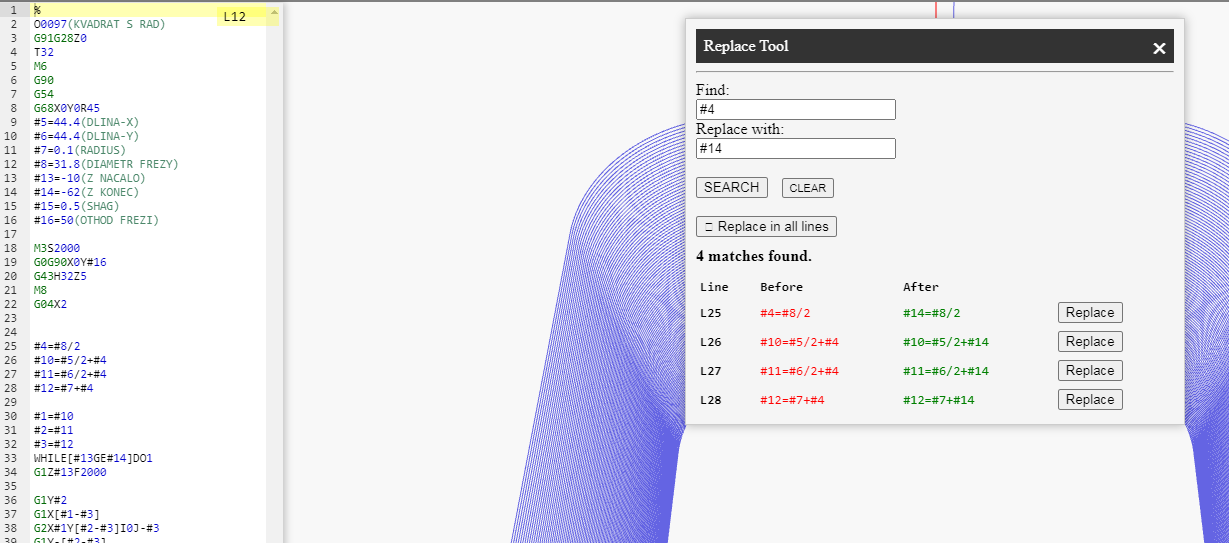
The Replace Tool window allows you to safely and visually replace recurring occurrences of text in a CNC program (NC). The tool displays a list of all matches with line numbers and a Before → After preview, and provides options to perform replacements throughout the entire program or one match at a time.
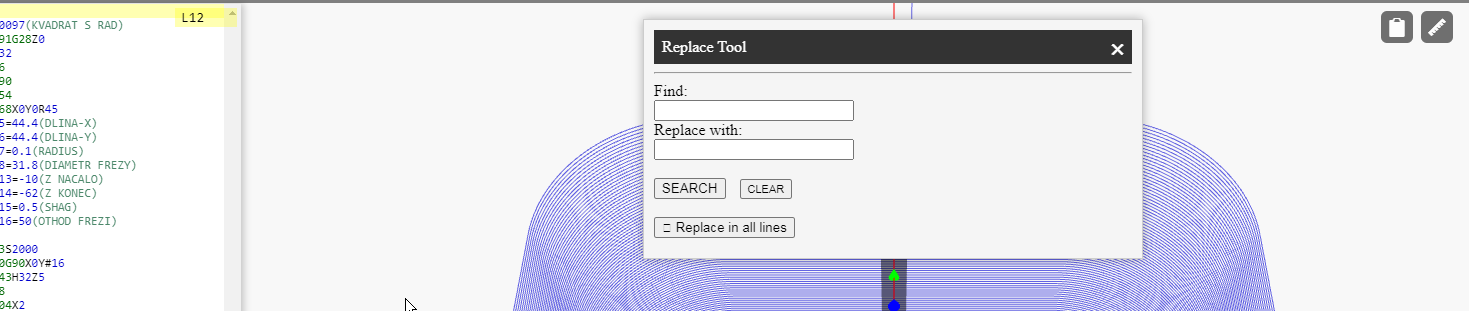
Input Fields and Buttons
-
Find: the string you want to search for (e.g.,
#4,G43,F200). Substring search within a G-code line is supported. -
Replace with: the string that will replace the found match
(e.g., replace
#4with#14). - SEARCH — run the search and generate a list of matches at the bottom of the window.
- CLEAR — clear the input fields and the results panel.
Search Results and Preview
After pressing SEARCH, a list of found matches appears below the form:
-
Line — editor line number (e.g.,
L25). - Before — the original fragment (highlighted in red).
- After — the replacement result (highlighted in green).
- Replace — button to perform a targeted replacement only in this line.
Massenersetzung
Um in allen gefundenen Zeilen gleichzeitig zu ersetzen, verwenden Sie:
In allen Zeilen ersetzen.
- Überprüfen Sie vor der Massenersetzung die Ergebnisliste, um sicherzustellen, dass das Suchen-Muster keine unerwünschten Bereiche betrifft (z. B. innerhalb von Kommentaren).
- Falls erforderlich, verwenden Sie anstelle der Massenersetzung gezieltes Ersetzen nur in den Zeilen, in denen die Änderung tatsächlich notwendig ist.
Verhalten und Einschränkungen
-
Die Suche basiert auf Teilstrings und unterstützt keine regulären Ausdrücke.
Wenn Sie eine exakte Token-Übereinstimmung benötigen (z. B. nur
#4und nicht#40), geben Sie den Kontext (Leerzeichen/Grenze) an oder überprüfen Sie die Vorschau. - Die Ersetzung wird auf den aktuellen Editor-Inhalt angewendet. Falls ein Fehler gemacht wurde, können Sie Rückgängig (Ctrl+Z) verwenden.
- Das Feld Suchen darf nicht leer sein — das Tool fordert eine gültige Eingabe.
- Beim Start einer neuen Suche (Suchen) wird die Trefferliste neu aufgebaut — so können Sie das Muster schnell anpassen und Ergebnisse vergleichen.
Praxisbeispiele
-
Ersetzen einer lokalen Variablen:
#4→#14in einem Unterprogramm. -
Vereinheitlichung der Vorschubwerte:
F200→F300im Schlichtdurchgang. -
Aktualisierung des Werkzeuglängenkorrektors:
H01→H11nur in ausgewählten Zeilen (mit gezieltem Ersetzen).
Tipp: Führen Sie nach umfangreichen Änderungen eine Simulation durch, um sicherzustellen, dass die NC-Logik und die Werkzeugbahn korrekt bleiben.
NCPlayer by MEBLEOS © 2026